Anbernic RG35XXSP
A few months ago, I bought an Anbernic RG CubeXX device for my Dad as a gift, and I ended up buying myself an Anbernic RG35XXSP as well because the device looked nice, and the shipping fee cost half as much as the device anyway.
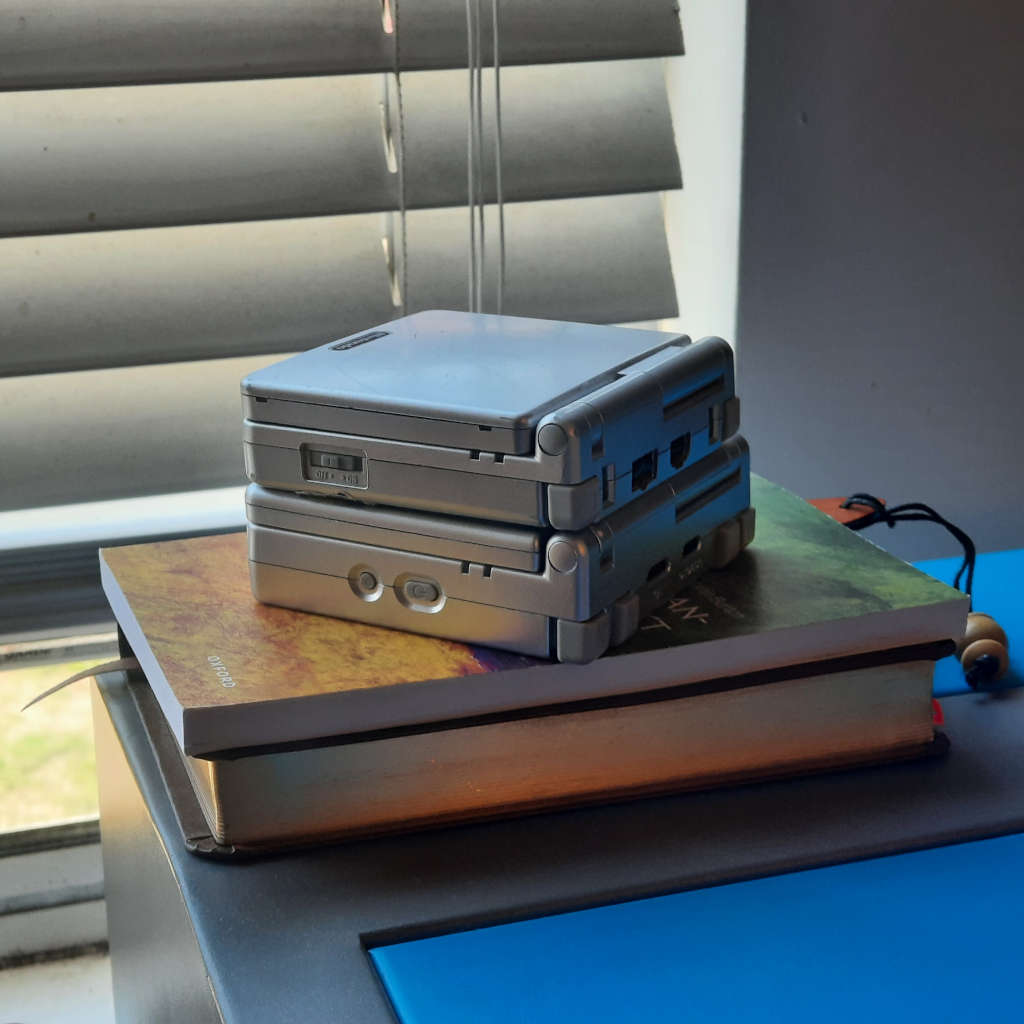
Form factor
The RG35XXSP is a bit bigger than the Game Boy Advance SP, but not by much. It fits comfortably in my hands, and I’ve played it for several hours straight without any noticeable issues.
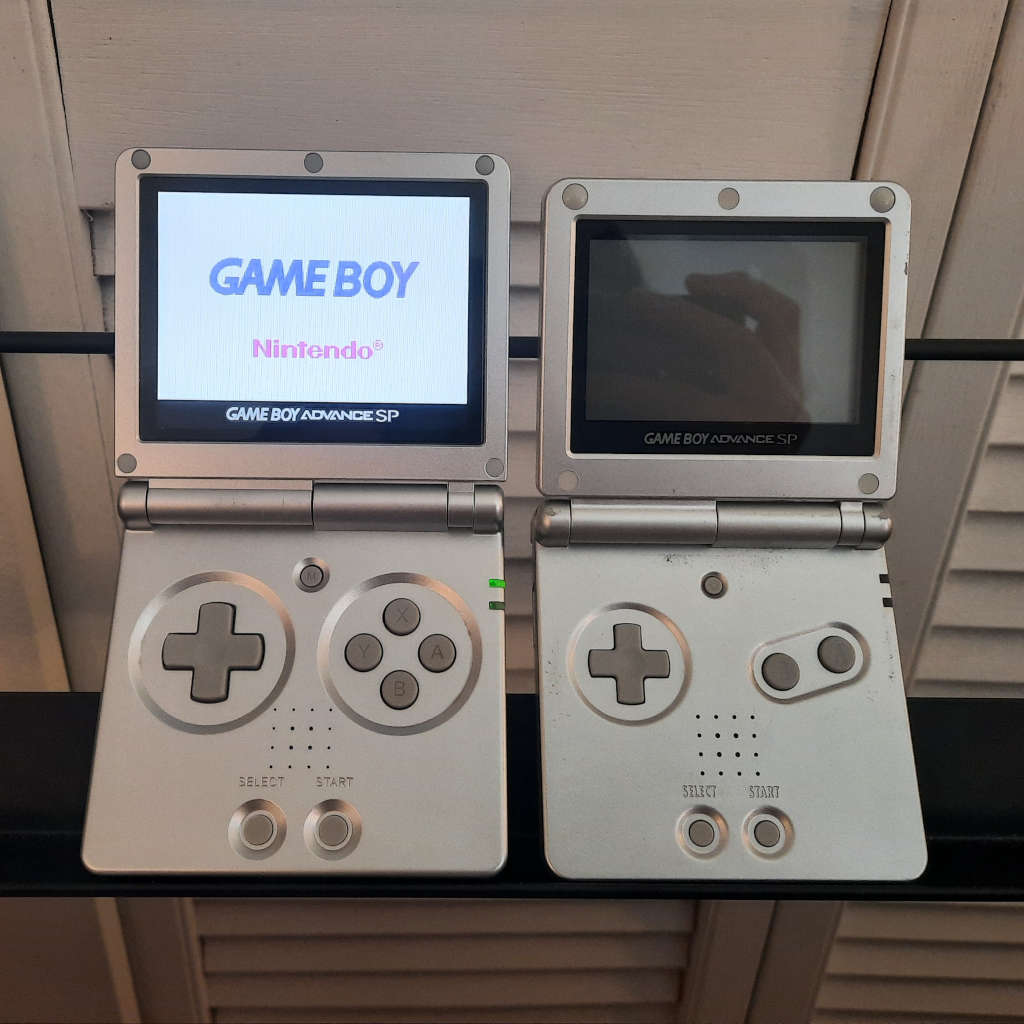
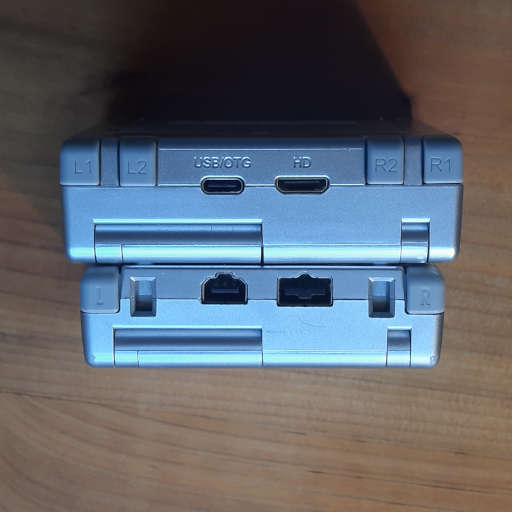
The clamshell design also makes me very happy because I can toss it into my bag or a pocket without worrying about damaging the display, so it is way more practical for me to take with me than most other gaming devices. It reminds me of the days when I would walk around with a DSi in my pocket.
Capability
The RG35XXSP is supported by MustardOS (muOS) which is, in my opinion, the most capable custom firmware for Linux handhelds. This allows the UI to be customized and enables the use of PortMaster which allows certain PC games such as Cave Story, DOOM, and UNDERTALE to run surprisingly well on this device.
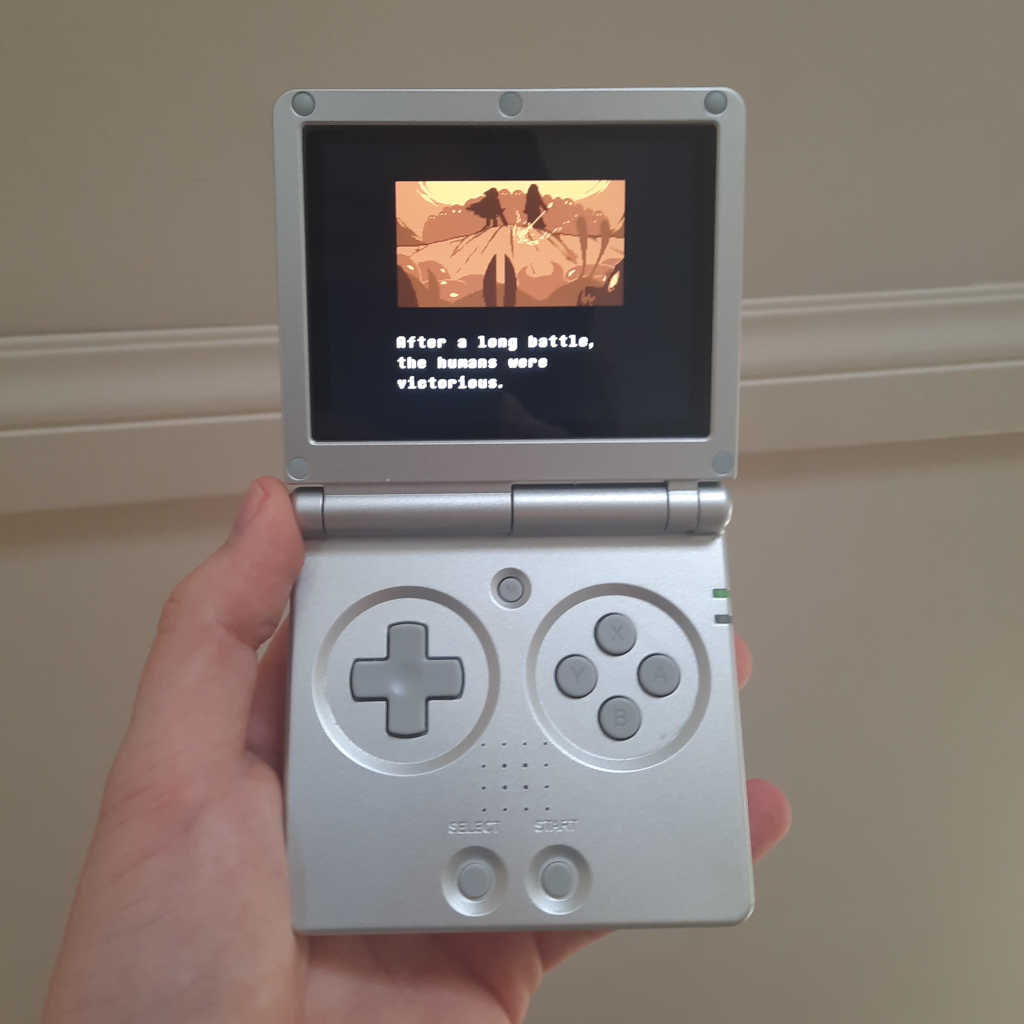
It is great for playing Game Boy, Game Boy Color, and Game Boy Advance games. Emulating Final Fantasy VII for the PlayStation was not a problem either, but I’m not sure how well it would handle other PlayStation games.
Of course, this is still a tiny console with only 1 GiB of RAM, so games that have high resource requirements or complicated controls won’t work. For example, I was technically able to run Stardew Valley on it, but the experience wasn’t great, and it was prone to crashes. However, you probably shouldn’t be running games like that on this device anyway.
Controls
Although I’ve seen complaints from others about the controls, the issues seem to be rare, and I’ve had no issues with them after nearly 50 hours of use.
The lack of a joystick makes it infeasible to play certain games (e.g., Nintendo 64 games), but personally, that is a limitation I am more than happy to accept.
Display
The built-in display is quite bright and looks good as far as I can tell.
Verdict
The device itself cost me $56 USD ($79 CAD). Of course, there was $8 USD of taxes and $25 USD in shipping fees on top of that, so the true cost would be closer to $89 USD ($126 CAD) if one were to only order one product from their website.
Personally, I think it’s a great value, and I’m really happy with it. I have never been much of a gamer, but having a small device that I can toss anywhere, pick up, and play has changed that. I’ve spent more time than I’d like to admit using it to play Pokémon or Harvest Moon on the couch or in my bed, and although it’s not a productive use of time, it’s preferable to doomscrolling.
If you purchase one, I would suggest installing muOS on it and purchasing a durable SD card to prevent data loss, but both of those steps are completely optional.
Other resources
- ANBERNIC RG35XXSP: The purchase page on ANBERNIC’s website.
- MustardOS Supported Devices: A list of devices that MustardOS can run on.